 ChronoTick
Basic
The daily work of a café.
per month
- Live floor, sessions and timing
- Shop and POS, billing
- Customers and wallets
- Shifts and the cash drawer
- Pricing plans
- Staff roles and audit log
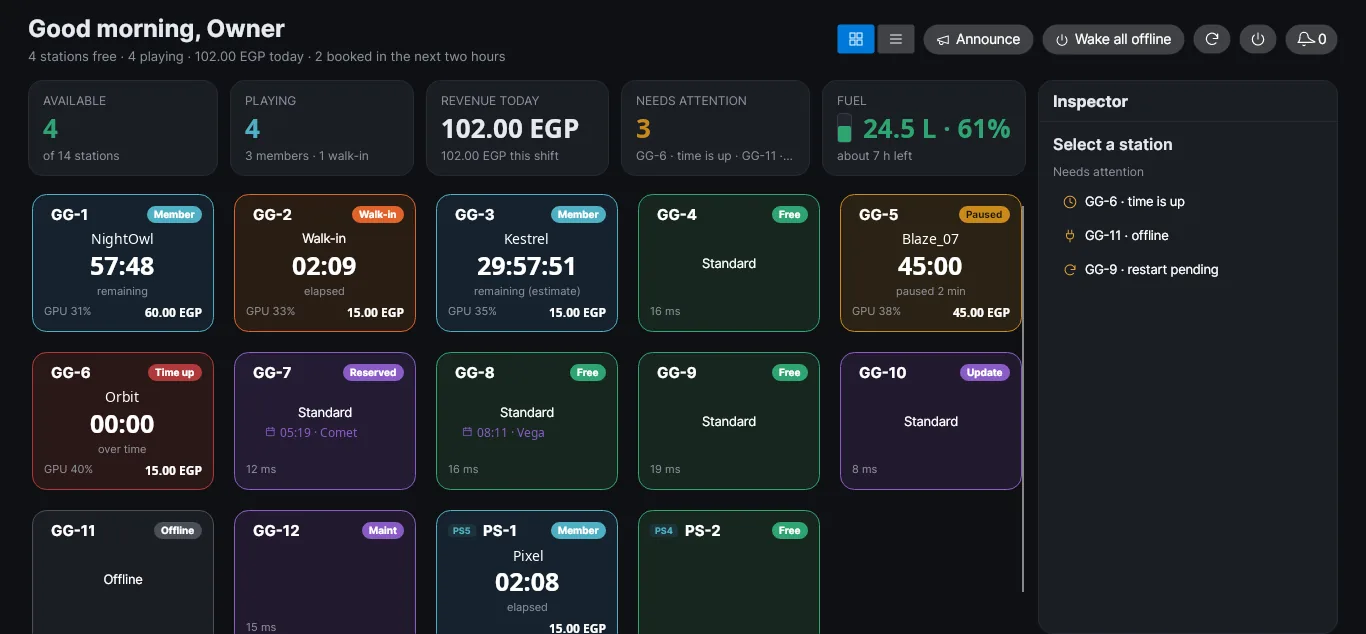
ChronoTick runs the café floor from reception. It times PCs and PlayStations, locks each screen between sessions, sells from the shop, keeps customer wallets and closes the shift. In Arabic and English.
What it does
Basic covers the daily work of any café. Pro adds the tools for a busier floor. Add-ons are sold separately and need Pro.
Start, pause, extend, move and end sessions from the live floor. Prepaid or open time, customer or walk-in.
PS4 and PS5 consoles sit on the same floor as the PCs, with their own prices for each model.
ChronoTick Play locks each PC between sessions and shows your café, not ours: your logo, colours, tagline and promo slides.
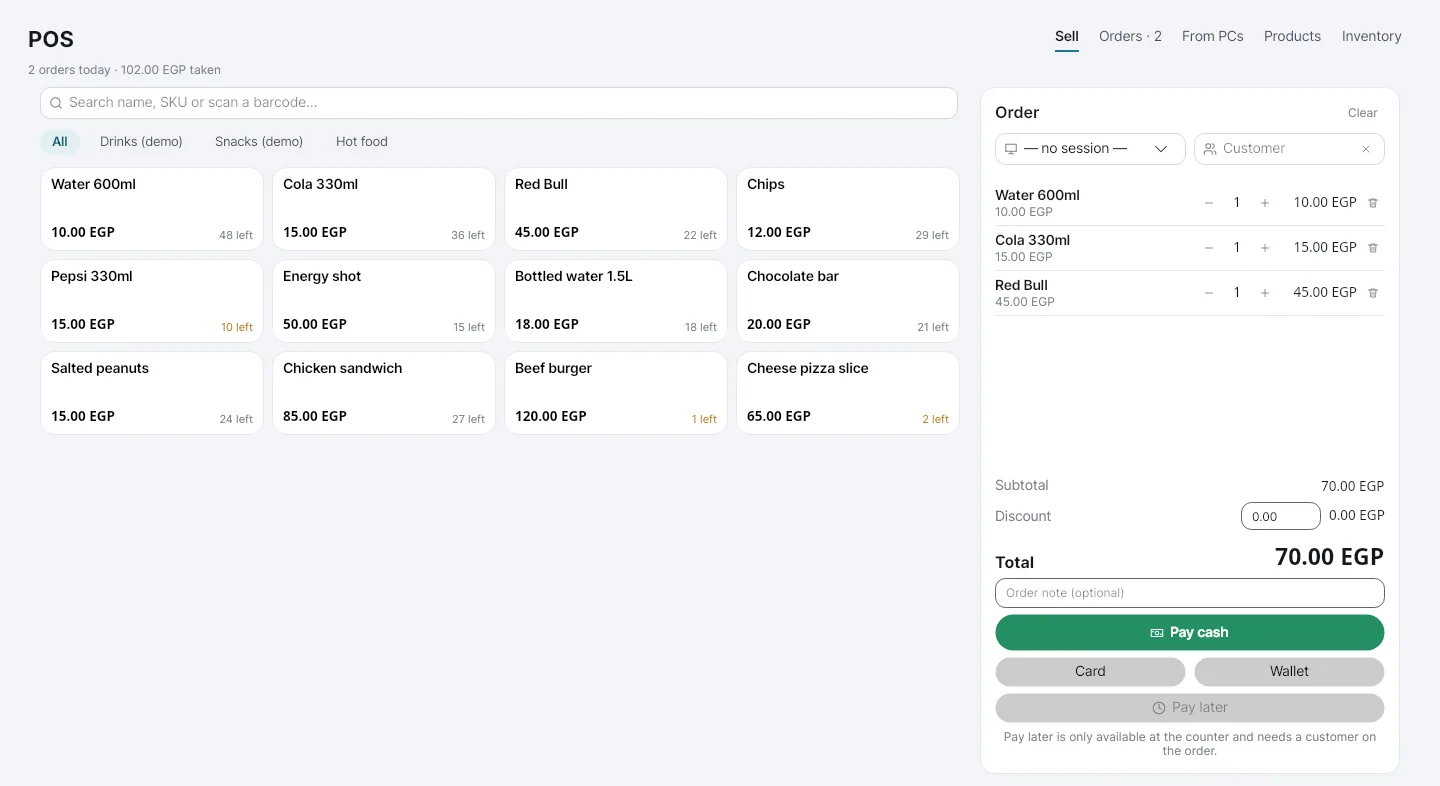
Sell drinks and snacks at the counter with stock counts, discounts and cash, card or wallet payment.
Accounts with a money balance or prepaid time, unpaid bills and a full history of what they spent.
Open and close the cash drawer with the expected amount worked out for you.
Membership tiers your regulars can buy, with an end date that the system enforces on its own.
Book a PC or a console for a time. Staff get a reminder before it starts and no-shows are released.
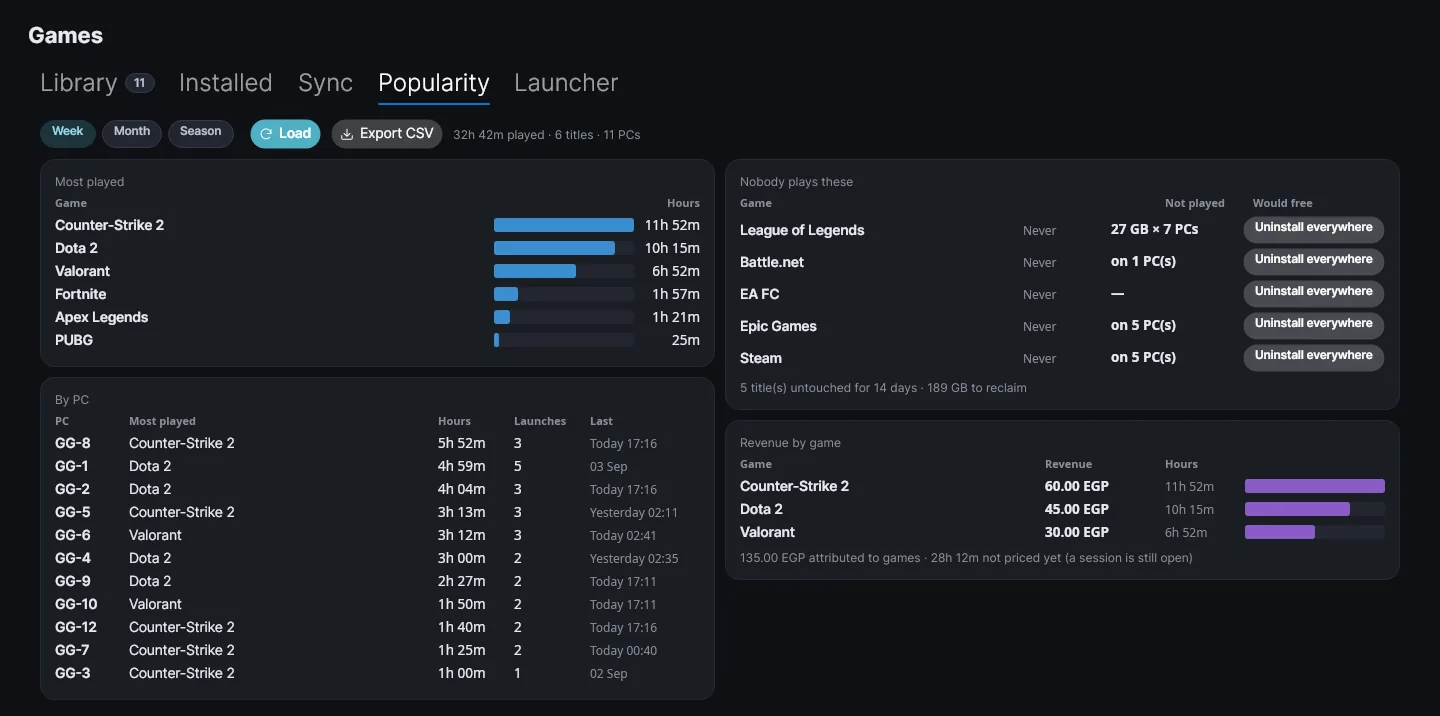
One library for the whole floor. Customers start games from the lock screen launcher.
Your café's number posts to your group or channel: news and offers, and a "PC free now" notice when seats open up.
Answers customers on WhatsApp from what you write about your café and which stations are free right now. It never books or takes payment; anything else goes to reception.
The staff app for Android: the live floor, add time, end and bill, power PCs on or off, customers and wallets.
The database is backed up on a schedule, old copies are pruned, and a second folder on another drive can hold a copy. The owner restores from the Console.
Revenue by day, week or month, split into gaming, shop and other, with refunds.
Each branch keeps its own server and keeps trading on its own. Head office sees every branch's revenue in one view.
Shop
Tap products, take the payment, done. Stock goes down with every sale, and an order a customer places from their PC appears in the queue at reception.
Games
See which titles fill the evenings, which PCs carry them, and which installs nobody has opened in weeks and can be removed.
Screens from the ChronoTick Console with demo data.
Pricing
Choose a tier for the number of PCs you run. Add-ons need Pro. Paying for several months at once costs less.
Ask us for current prices: contact us.
The daily work of a café.
For a busy floor and more than one branch.
Sold separately. Each needs Pro.
Pay for several months at once for a discount.
FAQ
No. ChronoTick runs on a server at the café and the PCs talk to it over your own network, so sessions, the shop and shifts carry on when the line is down. The internet is used for the licence check, remote access, WhatsApp and updates.
A Windows PC at reception for the server and the staff Console, and Windows on every gaming PC. PlayStation 4 and 5 consoles join over the same network.
One setup program on the reception PC and one on each gaming PC, with a pairing code from the Console. We help you through it.
Yes. The staff Console, the customer's lock screen and the WhatsApp pictures work in Arabic and English, with right-to-left layout.
Yes. Contact us and we update your licence. Add-ons can be switched on later the same way, once you are on Pro.
On your server at the café, with scheduled backups that you can also copy to a second drive. The AI assistant's messages pass through ChronoTick Cloud to be answered; the Cloud keeps counters, not the text.
Monthly, or for several months at once with a discount. Prices are in US dollars. Contact us and we will arrange it with you.
Contact
Tell us how many PCs and consoles you run and what you need. We will answer with a price and a time to set it up.
Our contact details will be listed here shortly.